> For the complete documentation index, see [llms.txt](https://docs.viesus.com/llms.txt). Markdown versions of documentation pages are available by appending `.md` to page URLs; this page is available as [Markdown](https://docs.viesus.com/features/scene-based-enhancement.md).
# Scene-Based Enhancement
vScene detects the type of scene in each image and automatically applies parameter settings optimised for that scene; either VIESUS defaults or your own custom configuration per scene. Enhancement can be pushed further for scenes where stronger processing works well (greenery, blue sky, ...), while staying conservative where it doesn't (skin tones, night shots, ...).
When [AI upscaling](/features/features/ai-super-resolution.md) is active, `VSceneMode=1` also enables scene-based 4× SR: landscape scenes without people are processed with the 4xAR model for sharper reconstruction.
{% hint style="info" %}
The easiest way to explore and fine-tune per-scene parameters is the [VIESUS Viewer](/tools/viesus-viewer.md). Load an image, see the detected scene type, and adjust parameters interactively per scene.
{% endhint %}
## Example
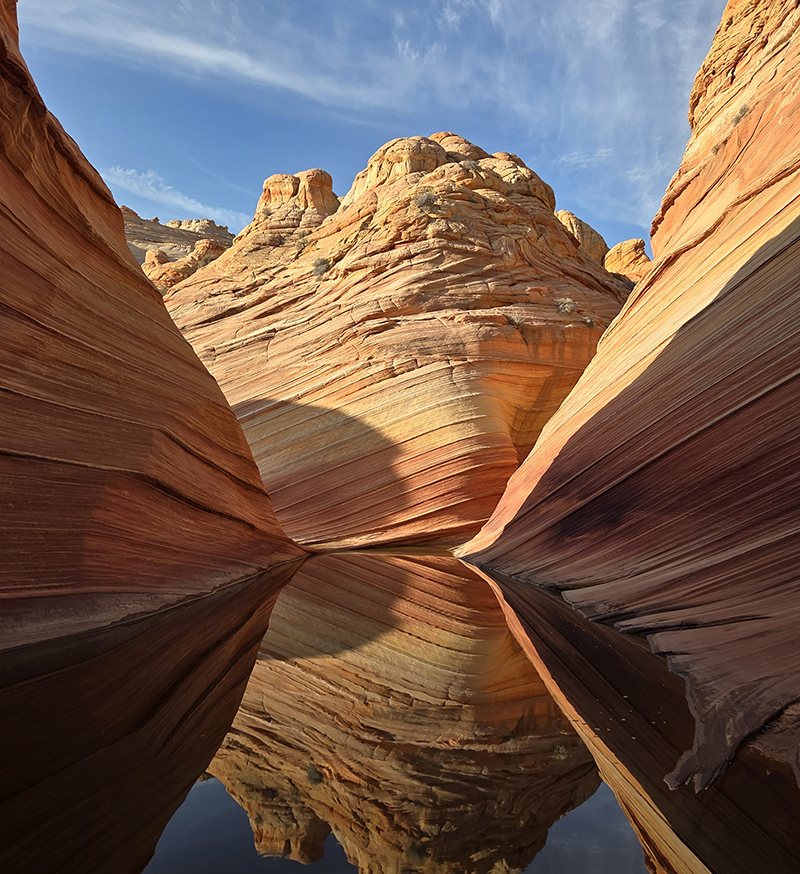
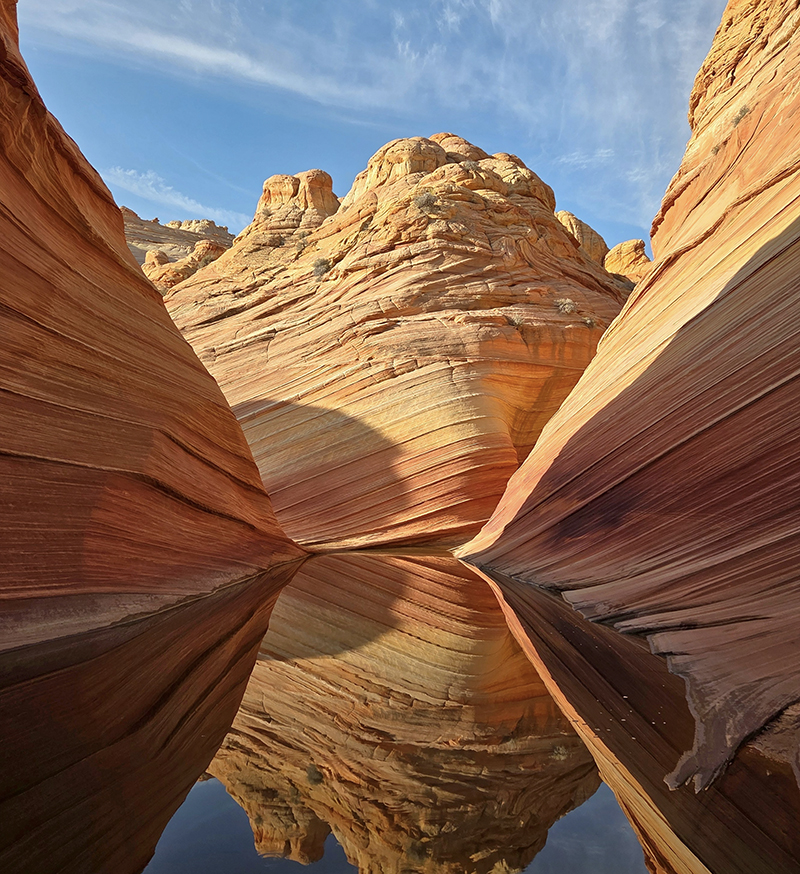
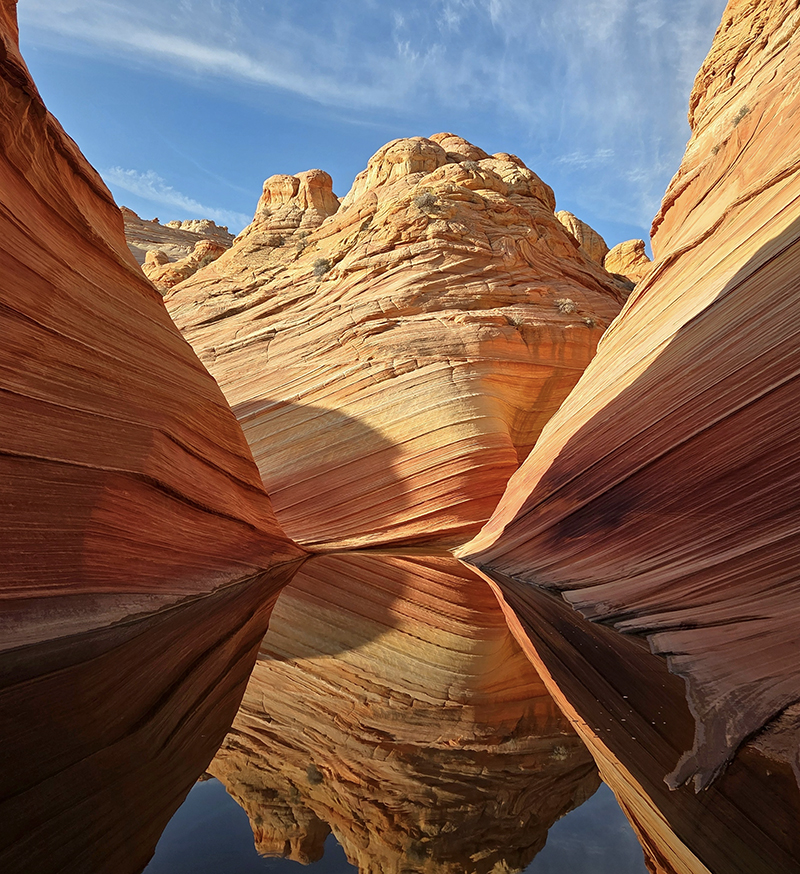
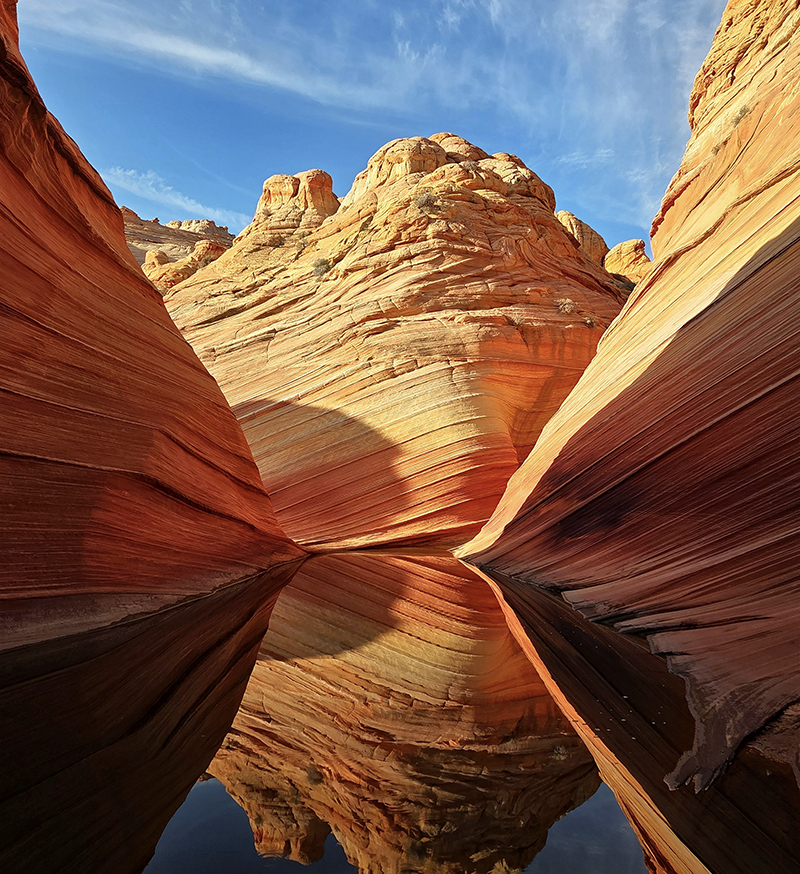
The same source image at four enhancement levels: the unprocessed original, VIESUS default enhancement (vScene off), and vScene at half and full strength.
{% columns %}
{% column %}
**Original**
{% endcolumn %}
{% column %}
**VIESUS default**
{% endcolumn %}
{% endcolumns %}
{% columns %}
{% column %}
**vScene · vscenestrength 0.5**
{% endcolumn %}
{% column %}
**vScene · vscenestrength 1.0**
{% endcolumn %}
{% endcolumns %}
## Detected scene types
vScene assigns each image the highest-priority scene type it matches (see table below).
So a black-and-white architecture shot with a visible face is detected as **People** (priority 1 beats everything). Without a face, it's detected as **BlackWhite** (priority 2 beats Architecture's priority 4). The same logic applies to NightShot at priority 3.
Within priority 4, scene types are mutually exclusive rather than ranked. An image showing both architecture and blue sky could be detected as either, depending on which content the scene detection weighs more heavily for that specific image.
| Priority | Scene Type | Description |
| -------- | -------------- | ------------------------------------------------------------------------------------- |
| 1 | **People** | Images with visible faces — always takes priority, regardless of environment or color |
| 2 | **BlackWhite** | Monochrome images without visible faces |
| 3 | **NightShot** | Dark or night scenes, no faces detected |
| 4 | Architecture | Buildings and urban environments |
| 4 | Beach | Beach and coastal scenes |
| 4 | BlueSky | Clear blue sky |
| 4 | CloudySky | Overcast or cloudy sky |
| 4 | Food | Food and beverage photography |
| 4 | Greenery | Nature, plants, forests |
| 4 | Landscape | General outdoor landscapes |
| 4 | Snow | Snow-covered scenes |
| 4 | SunsetSunrise | Golden hour and twilight |
| 4 | Underwater | Underwater photography |
| — | Other | Default when no other type matches |
## Parameters
Parameter
Section
Range
Default
Description
VSceneMode
Config
0, 1
0
Mode selection (see below)
vscenestrength
Gpars
0.0 – 1.0
1.0
Blends vScene-specific parameters with defaults. 0.0 = full default behavior; 1.0 = full vScene parameters applied
## Modes
| Mode | Description |
| --------------- | ----------------------------------------------------------------------------------------- |
| **0** — Off | No scene-based adaptation; default parameters used for every image |
| **1** — Enabled | Scene type detected; per-scene parameters applied (and scene-based 4× SR when applicable) |
{% hint style="success" %}
**Recommended:** Set `VSceneMode=1`. Leave `vscenestrength` at 1.0 unless you want a softer effect.
{% endhint %}
## Custom per-scene parameters
Beyond the built-in defaults, you can define your own parameter overrides per scene type directly in `viesusini.json`. Add a section named with a **`vScene_` prefix** followed by the scene type. For example `vScene_Landscape` or `vScene_People`. Only the parameters you list are overridden for that scene; everything else falls back to the top-level defaults.
The `vScene_` prefix keeps scene names from clashing with the standard configuration sections; without it, the `Other` scene type would collide with the top-level `Other` section.
{% hint style="info" %}
**The easiest way to dial in per-scene settings is the VIESUS Viewer.** Enable vScene and pick a specific scene from the scene selector. The parameter sliders switch to that scene's values, and any image you enhance while a scene is selected has those values applied — regardless of the scene the image would actually be detected as. This lets you isolate, preview, and refine one scene's look at a time, then save the result to `viesusini.json`.
{% endhint %}
```json
{
"Config": { "VSceneMode": 1 },
"vScene_Landscape": {
"Gpars": { "shpglobalstrength": 0.3 },
"Lpars.sky": { "saturation": 0.1, "brightness": -0.25 },
"Lpars.veg": { "saturation": 0.1, "brightness": 0.25 }
},
"vScene_People": {
"Gpars": { "shplocalstrength": 0.3 },
"Lpars.skin": { "saturation": -0.05, "brightness": 0.25 }
}
}
```
### Parameters you can set per scene
Scene presets override only the **global (`Gpars`)** and **local (`Lpars`)** parameters listed below. Mode switches (`Config`), resizing, background handling, and output settings are global: they cannot be set per scene.
**`Gpars` — global parameters**
* Manual corrections: `brightness`, `contrast`, `saturation`, `r`, `g`, `b`
* Strengths: `shpglobalstrength`, `shplocalstrength`, `nrstrength`, `nrmonostrength`, `gastrength`, `rerstrength`, `fdstrength`, `eyestrength`, `frstrength`, `blurstrength`, `dastrength`
**`Lpars` — local parameters**
* Whole image: `shadowfac`, `highlightfac`, `colorfac`, `skinToneAdjFac`, `addflashfac`
* Per color zone (`Lpars.skin`, `Lpars.sky`, `Lpars.veg`): `huerotation`, `saturation`, `brightness`, `contrast`, `strength`
See [Global Parameters](/configuration/parameter-reference/global-parameters.md) and [Local Parameters](/configuration/parameter-reference/local-parameters.md) in the Parameter Reference for what each parameter does and its range.
---
# Agent Instructions
This documentation is published with GitBook. GitBook is the documentation platform designed so that both humans and AI agents can read, navigate, and reason over technical content effectively. Learn more at gitbook.com.
## Querying This Documentation
If you need additional information that is not directly available in this page, you can query the documentation by asking a question.
Perform an HTTP GET request on the following URL with the `ask` and `goal` query parameters:
```
GET https://docs.viesus.com/features/scene-based-enhancement.md?ask=&goal=
```
`ask` is the immediate question: it should be specific, self-contained, and written in natural language.
`goal` is what the user is ultimately trying to achieve, the reason they need the answer. Sharing it helps GitBook give you a better, more relevant answer. A goal is most helpful when it describes the outcome the user wants rather than restating the question. For example, with `ask=how do I create an API token`, a goal like `automate deployments from our CI pipeline` lets GitBook tailor the answer to that use case.
The response will contain a direct answer to the question and relevant excerpts and sources from the documentation.
Use this mechanism when the answer is not explicitly present in the current page, you need clarification or additional context, or you want to retrieve related documentation sections.